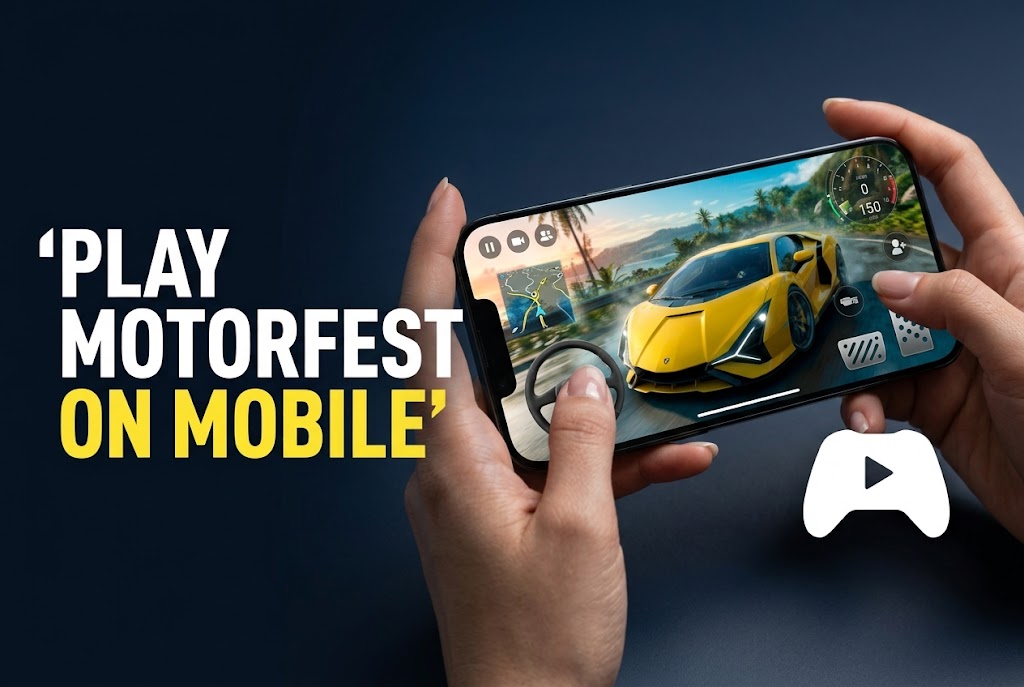
A friend spent a solid twenty minutes searching the Play Store for “The Crew Motorfest” convinced he was just typing it wrong, before texting me confused that a game with millions of players simply didn’t exist on Android. It doesn’t, not as a native app, and it never will, since this is a full PC and console open-world racing title, not something built for phone hardware. What does exist is streaming it from a machine that already has it installed, which is a genuinely different setup process depending on which platform you own the game on.
Quick Answer
- The Crew Motorfest has no native Android or iOS app and never will, since it’s a full PC/console racing title. Playing on mobile means streaming it from a device you already own the game on.
- Steam Link streams from your own PC over your home network (or remotely, with more setup), while PlayStation Remote Play streams from your own PS4 or PS5. Both require the source device to be powered on and running the game.
- A physical Bluetooth controller is officially recommended for this specific game, including compatibility with phone-clip controllers like the Backbone One, since Motorfest’s driving and combat-racing modes both depend on precise analog input.
Steam Link vs. Remote Play: Two Different Setups, Not Interchangeable Terms
These two get lumped together constantly, but they stream from entirely different sources and only one applies depending on where you actually own the game. Steam Link streams from your own PC, over your local network or, with additional setup, over the internet, requiring the PC to be powered on with Steam and the game running. PlayStation Remote Play does the same thing specifically from a PS4 or PS5 console you own, streaming your console’s actual session to your phone.
Neither of these requires purchasing a separate cloud subscription the way GeForce Now does, since you’re streaming a copy of the game you already own on hardware you already have, not renting remote compute from a third-party service. The tradeoff is that your source device, PC or console, needs to stay on and connected the entire time you’re playing, unlike a true cloud service running the game on someone else’s server.
[COMMON TRAP] Don’t confuse Steam Link and Remote Play as two names for the same thing, or assume either one works if you own the game on the other platform. If you bought The Crew Motorfest on Steam, Remote Play (a PlayStation-specific feature) does nothing for you, and vice versa. Confirm which platform you actually own the game on before setting up either service, since they’re not interchangeable despite solving a similar problem.
Setting Up Steam Link From a PC
Install the Steam Link app on your phone from the Google Play Store or Apple App Store, and make sure the PC running The Crew Motorfest has Steam open with the game already installed. Both devices need to be on the same Wi-Fi network for the simplest setup, following the pairing instructions the Steam Link app walks you through on first launch. Nvidia’s own published guidance for this specific game recommends a stable connection with at least 15 Mbps download speed for a smooth experience, given how demanding Motorfest’s open-world visuals are to stream cleanly.
Once paired, launching the game from your phone through Steam Link mirrors your PC’s session directly, meaning you’re controlling the actual game running on your computer, not a separate mobile instance.
| Method | Source Device Required | Network Requirement | Works With |
|---|---|---|---|
| Steam Link | Your own PC (game installed) | Same Wi-Fi network (or remote setup) | Steam version of the game |
| PS Remote Play | Your own PS4 or PS5 | Console powered on, internet connected | PlayStation version of the game |
| GeForce Now (cloud alternative) | None, streams from Nvidia’s servers | Any internet connection, subscription required | Steam copy, linked via BYOG |
[PRO TIP] If your PC and phone aren’t on the same home network, for instance you’re traveling and want to stream from your home PC, Steam Link supports remote streaming over the internet with additional router configuration (port forwarding specifically). This is a more involved setup than local network streaming, and if it sounds like more troubleshooting than you want to deal with, GeForce Now, which streams the same Steam-owned copy of the game from Nvidia’s own servers instead of your home PC, is a genuinely simpler alternative that sidesteps home network configuration entirely.
Controls: Officially Supported, Not Just a Workaround
The Crew Motorfest officially supports controller input across Xbox, PS Remote Play, and Steam Link, including specific compatibility with phone-clip controllers like the Backbone One, according to Backbone’s own published game compatibility listing. This isn’t an unofficial workaround, the game’s control scheme is built with controller input as a first-class option across all these streaming paths, which matters given how much Motorfest’s open-world driving, drift challenges, and demolition-style combat modes depend on analog precision rather than binary touch taps.
Touch controls technically function through both Steam Link and Remote Play’s on-screen overlay options, but given the game’s own explicit controller support and the genre’s dependence on steering nuance, pairing a controller before a real session is worth the extra minute it takes.
(Compared using: Steam Link streaming from a home PC over 5GHz Wi-Fi, cross-referenced against Backbone’s published controller compatibility listing and Nvidia’s GeForce Now bandwidth recommendations for the same title)
Troubleshooting Common Setup Issues
Steam Link keeps disconnecting or the stream stutters during a session. Check that both your PC and phone are on 5GHz Wi-Fi rather than 2.4GHz if your router supports both, since Motorfest’s open-world visuals demand more consistent bandwidth than most streamed titles, and Nvidia’s own 15 Mbps recommendation is a floor, not a comfortable target for a stutter-free session.
You’re trying to use PS Remote Play but the game doesn’t show up as an option. Confirm you own The Crew Motorfest on the actual PlayStation platform, not just Steam, since Remote Play only streams your console’s existing library and has no separate purchase path of its own for PC-only copies.
You don’t want to keep your home PC or console powered on just to stream while traveling. This is exactly the scenario where GeForce Now becomes the more practical choice over Steam Link or Remote Play, since it streams your owned Steam copy from Nvidia’s own remote servers rather than requiring your personal hardware to stay on and connected the whole time.
FAQ
Is there an official The Crew Motorfest app for Android or iOS? No, and there won’t be, since it’s a full PC and console open-world racing title, not built for mobile hardware. Playing on a phone requires streaming from a PC or console you already own the game on.
What’s the actual difference between Steam Link and PS Remote Play? Steam Link streams from your own PC; PS Remote Play streams from your own PS4 or PS5. They’re platform-specific and not interchangeable, so which one applies depends entirely on which platform you own the game on.
Do I need a subscription to use Steam Link or Remote Play? No, both are free features tied to hardware you already own, unlike GeForce Now, which requires a paid subscription to stream from Nvidia’s remote servers instead of your own PC or console.
Can I stream The Crew Motorfest to my phone from outside my home network? Yes, both Steam Link and PS Remote Play support remote streaming over the internet, though this typically requires additional router configuration compared to streaming on the same local Wi-Fi network.
Do I need a controller to play Motorfest well on mobile? It’s strongly recommended and officially supported, including specific compatibility with phone-clip controllers like the Backbone One, given how much the game’s driving and combat-racing modes depend on precise analog input.
Is GeForce Now a better option than Steam Link for this specific game? It depends on your situation. GeForce Now avoids needing your own PC powered on and connected, which is more convenient while traveling, but requires a paid subscription. Steam Link is free but ties you to your own hardware staying active during the session.
Conclusion
There’s no shortcut around the fact that The Crew Motorfest simply isn’t built for phones, and no native app is coming. What you can do is stream your existing copy from wherever you actually own it, your own PC through Steam Link, or your own PS4/PS5 through Remote Play, both officially supporting controller input for the precise driving this game depends on. If keeping your home hardware powered on for every session feels impractical, GeForce Now offers the same Steam-owned game streamed from Nvidia’s servers instead, trading a subscription cost for not needing your own PC to stay running.
