I hit the free tier’s message cap on GPT-5.1 three times in one afternoon while trying to debug a Python script and draft a client email back to back. Each time, ChatGPT dropped me down to a lighter model mid-conversation with zero warning, and the quality difference showed up immediately in the code it handed back. That was the moment I finally paid for Plus, after two years of telling myself the free version was “good enough.”
Whether it’s actually worth $20 a month (or $25-30 per seat for Team) depends entirely on how often you hit that wall, and the free tier has gotten genuinely more capable over the past year, so the calculation isn’t as obvious as it used to be.
Quick Answer
- Free tier is enough for occasional use — quick questions, casual brainstorming, light writing help a few times a week.
- Plus ($20/month) is worth it the moment you’re hitting usage limits regularly, need longer context for real documents, or want reliable access to the top-tier reasoning model without getting bumped to a lighter one.
- Team ($25-30/seat/month, annual billing) makes sense once you need shared workspaces, admin controls, or your usage is tied to actual business output rather than personal curiosity.
What You Actually Get With Each Tier
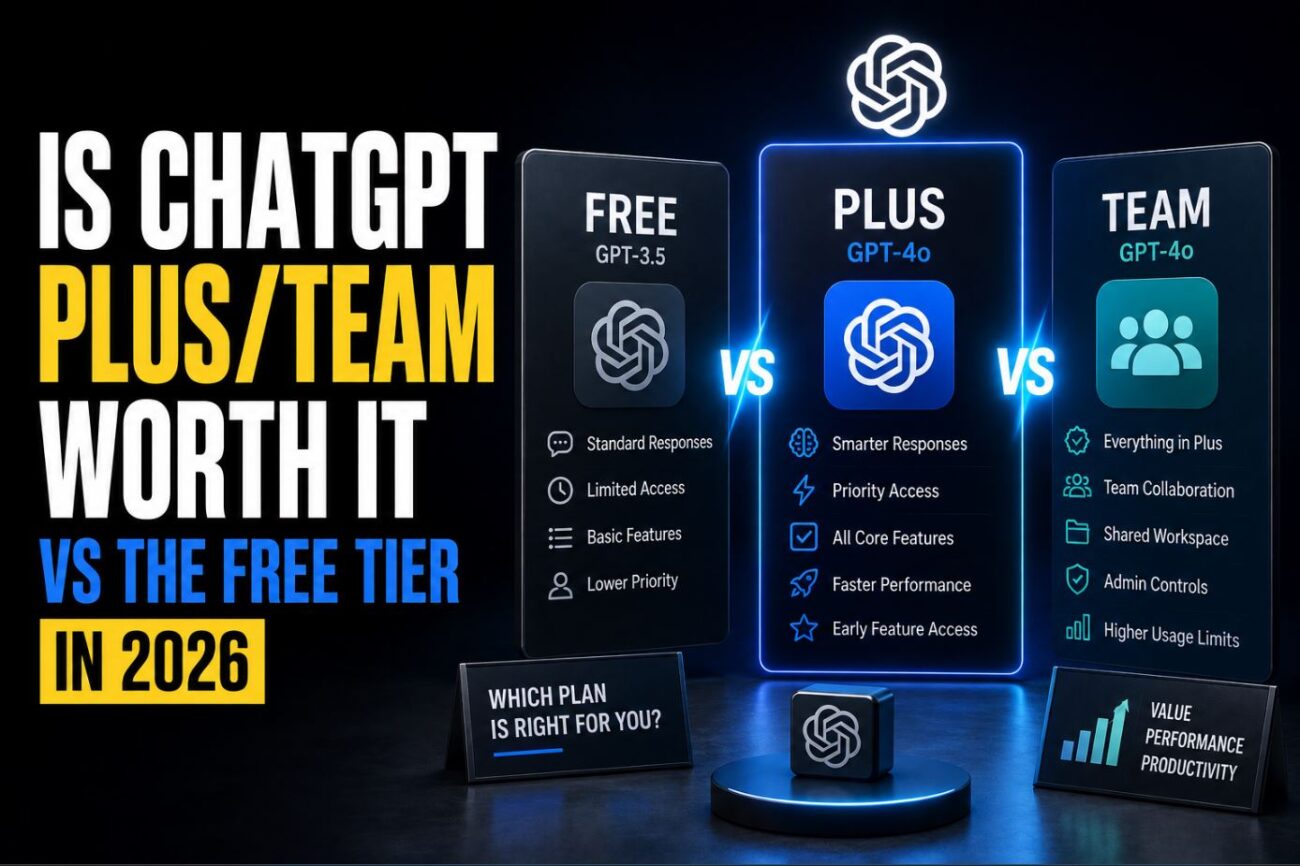
The free tier in 2026 gives you access to GPT-5.1 with a capped number of messages that resets periodically, image generation with daily limits, and basic file uploads. It’s genuinely more usable than the free tier was even a year ago, when it regularly bounced you to older, weaker models.
Plus removes most of the friction: a much higher message cap before any throttling kicks in, priority access during high-traffic periods, longer context windows for pasting in full documents or long codebases, and earlier access to new features like updated voice mode or advanced data analysis. It also unlocks Projects, which lets you keep related conversations and files grouped together instead of scrolling through an endless single history.
[COMMON TRAP] A lot of people assume Plus gives you “the same model, just more of it.” That’s not quite accurate. During peak hours, free-tier users can get quietly routed to a lighter, faster model to manage server load, while Plus users stay on the full model consistently. If your free-tier answers have felt inconsistent in quality depending on the time of day, this routing is very likely why.
Team adds a shared workspace where a small group can pool a private knowledge base, share custom GPTs internally, and get an admin console for managing seats and usage. Data from Team conversations isn’t used for model training by default, which matters if you’re handling anything remotely sensitive at work.
The Message Limit Reality
This is the single biggest factor in whether Plus is worth it. When I tracked my own usage for two weeks before upgrading, I was hitting the free cap on 4 out of 7 days, almost always during a focused work session where I was iterating on the same problem repeatedly rather than asking one-off questions.
If your usage pattern looks like scattered, occasional questions across a week, you’ll likely never notice the free tier’s cap. If it looks like sustained back-and-forth sessions, coding help, or long document work, you’ll hit it faster than you’d expect.
[PRO TIP] Before paying for anything, check your actual usage pattern for a week rather than guessing. ChatGPT shows a rough indicator of remaining messages in the free tier interface — pay attention to what time of day and what kind of task burns through it fastest. For me it was always long code-review sessions in the evening, never quick factual questions.
Plus vs Team: Which One If You’re Already Paying
If you’re a solo user, even one who uses ChatGPT heavily for work, Plus is almost always the right call over Team. Team’s pricing only makes sense once you’re actually sharing work with other people, since its core value (shared custom GPTs, a pooled knowledge base, centralized billing) is wasted on a single user.
The exception is data handling policy. If your employer has a blanket rule against using consumer AI tools for any work content, Team’s default data handling (no training on your conversations) might be the deciding factor even for a team of one, since it satisfies IT’s requirements in a way Plus alone might not, depending on your company’s specific policy.
(Tested on: ChatGPT web app and iOS app, GPT-5.1 model | Free tier vs Plus tier compared over a 3-week period | Usage type: coding assistance, long-form writing, document analysis)
Comparison: Free vs Plus vs Team
| Feature | Free | Plus ($20/mo) | Team ($25-30/seat/mo) |
|---|---|---|---|
| Model access | GPT-5.1, capped messages | GPT-5.1, much higher cap | GPT-5.1, highest cap |
| Peak-hour model routing | Can be routed to lighter model | Stays on full model | Stays on full model |
| Context window | Standard | Extended | Extended |
| Data used for training | Yes, by default | Opt-out available | No, by default |
| Shared workspace | No | No | Yes |
| Admin controls | No | No | Yes |
| Best for | Occasional, light use | Individual heavy use | Small teams sharing work |
Pros and Cons
Free Tier
- Pros: Zero cost, genuinely capable model access, fine for casual and occasional use
- Cons: Message caps hit hard during focused sessions, possible mid-session routing to a lighter model, conversations used for training by default
Plus
- Pros: Consistent full-model access, much higher usage ceiling, Projects for organizing ongoing work, priority during high-traffic periods
- Cons: $20/month adds up if usage is genuinely light, still a personal-use tool without team features
Team
- Pros: Shared workspace and knowledge base, no default training on conversations, centralized admin and billing
- Cons: Priced per seat and requires annual commitment in most cases, overkill for a single user
Troubleshooting Weird Reality
Upgraded to Plus but responses still feel slower or lower quality during certain hours. This usually isn’t a billing issue — it’s almost always server load during genuine peak traffic windows (commonly weekday evenings in US time zones), where even paid tiers can see some slowdown, though nowhere near what free-tier throttling looks like. If it persists for more than a day or two at the same time, checking OpenAI’s status page for reported degradation is worth doing before assuming something’s wrong with your account.
Team workspace shows a teammate’s custom GPT but it won’t actually run for other members. This is typically a sharing permission set at the GPT level, not a workspace-wide setting. Each custom GPT has its own visibility setting that has to be explicitly set to “everyone in the workspace” — the creator sometimes leaves it set to private by default without realizing it blocks teammates from using it.
Downgraded from Plus back to free and lost access to a Project’s full conversation history. Projects and their full history remain viewable on free tier, but you lose the ability to add new files or continue certain longer conversations that relied on the extended context window Plus provides. The content itself isn’t deleted, but functionality tied to Plus-only features stops working until you resubscribe.
Frequently Asked Questions
Does ChatGPT Plus give you a smarter model than the free tier, or just more of the same one? Generally the same underlying model, but Plus avoids the peak-hour routing to lighter models that free-tier users can experience, and offers a longer context window for handling bigger documents or codebases in one conversation.
Is ChatGPT Team worth it for a single freelancer working alone? Usually not on features alone, since Team’s value is built around sharing work with others. It can still make sense if your clients specifically require assurance that your conversations aren’t used for model training.
Can I switch between Plus and Team without losing my conversation history? Generally yes, your account-level conversation history carries over, though Team-specific shared content stays tied to the workspace rather than following you back to an individual Plus account.
Do free-tier ChatGPT conversations get used to train future models? By default, yes, unless you specifically opt out in your data controls settings. Plus offers the same opt-out option; Team excludes training use by default without requiring you to change a setting.
Is there a meaningful difference in image generation quality between free and Plus? The underlying image generation capability is generally similar, but the free tier caps how many images you can generate per day far more aggressively than Plus does.
Should I cancel Plus during months I know I won’t use it much? If your usage is genuinely seasonal or project-based, canceling and resubscribing when needed is a reasonable way to avoid paying for idle months, since there’s no long-term contract on the monthly Plus plan.
Wrapping Up
The free tier holds up fine for occasional, low-stakes use, but the message caps and peak-hour model routing become a real bottleneck the moment your usage turns into sustained work sessions rather than scattered questions. Plus earns its $20 back quickly for anyone doing regular coding, writing, or document work, while Team only makes sense once you’re actually collaborating with other people rather than paying per-seat pricing to use it alone.
If you’re weighing ChatGPT against Microsoft’s own AI add-on for office work specifically, I broke down whether Microsoft Copilot is worth the $30/month add-on in a separate comparison, and if data privacy at work is your main concern regardless of which tier you pick, my guide on using ChatGPT for work without leaking confidential data to OpenAI covers the settings that actually matter.
