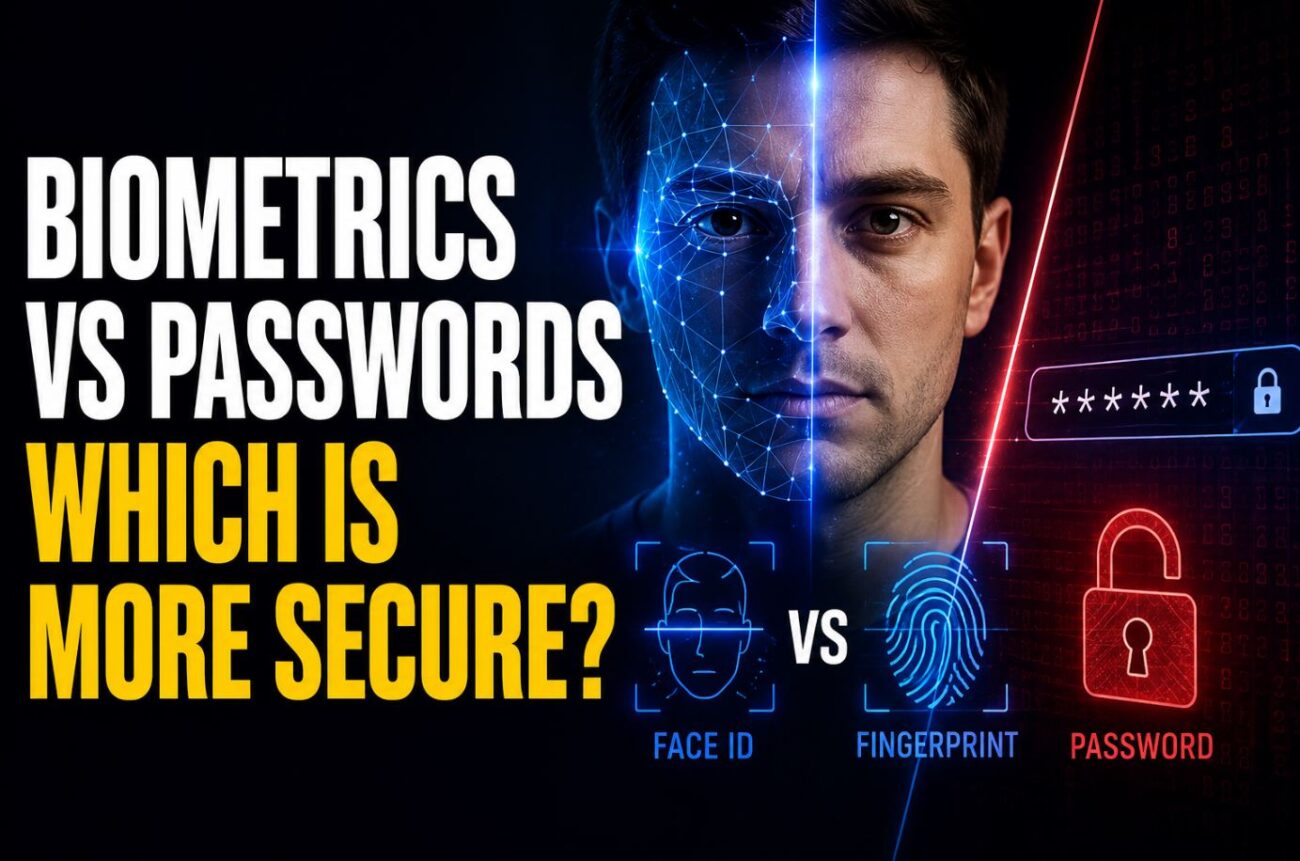
I watched someone unlock a coworker’s phone with a printed photo held up to the camera a few years back, not maliciously, just proving a point after an argument about whether Face ID was “basically unhackable.” It worked on an older, cheaper Android phone with a less sophisticated face-unlock implementation, and it took about four attempts. That single demonstration says less about biometrics being broken and more about what actually matters in this question: not “is biometric security good,” but “which specific implementation, on which specific device, compared to what alternative.”
The honest, if slightly unsatisfying, answer is that biometric login is more secure than a weak or reused password in most practical everyday scenarios, but it isn’t unconditionally more secure than every password, and it introduces a different category of risk that a password simply doesn’t have.
Quick Answer
- Against the realistic threats most people actually face (someone guessing a weak password, credential stuffing from a data breach, casual shoulder-surfing), biometric login is generally more secure and definitely more convenient than typical password habits.
- Against a well-resourced, targeted attacker, a strong, unique password combined with two-factor authentication can be harder to compromise than some biometric implementations, particularly older or cheaper fingerprint and face-recognition sensors.
- The fundamental difference that matters most: a compromised password can be changed; a compromised biometric (in the rare case where the underlying data itself is stolen, not just spoofed) cannot be reissued the same way, since you only have one face and ten fingerprints for life.
What “Biometric Security” Actually Means Technically
It’s worth clearing up a common misunderstanding first: in most modern implementations (Apple’s Face ID and Touch ID, Windows Hello, most current Android fingerdprint sensors), your actual fingerprint or facial data never leaves your device and is never stored as a raw, comparable image. Instead, it’s converted into a mathematical representation and stored in a dedicated, isolated hardware security module, specifically designed to be extremely difficult to extract even if the rest of the device is compromised.
This matters because the two biggest fears people have about biometrics, “what if my fingerprint gets stolen in a data breach” or “what if the company selling me this phone has my face on a server somewhere,” generally don’t reflect how well-implemented biometric authentication actually works on modern devices from major manufacturers. The comparison data never leaves your device in these implementations, which is architecturally quite different from a password database sitting on a company’s server, which is exactly the kind of thing that gets breached and leaked in bulk.
[COMMON TRAP] A lot of people assume all biometric authentication works the same way and carries the same risk profile, treating “Face ID” and “some no-name Android tablet’s face unlock” as equivalent. In practice, implementation quality varies enormously. Apple’s Face ID uses a dedicated infrared depth-sensing camera array specifically designed to resist photo and even sophisticated mask-based spoofing attempts, while some budget devices rely on a standard 2D camera with far weaker anti-spoofing measures, which is exactly the kind of setup that can be fooled by a printed photo or even a video played on another screen.
Where Biometrics Genuinely Win
Resistance to the most common real-world attacks. The overwhelming majority of account compromises happen through weak, reused, or phished passwords, not sophisticated biometric spoofing. Someone reusing “Password123” across multiple sites, or falling for a phishing page that captures a typed password, represents a vastly more common real-world failure than someone successfully 3D-printing a fake fingerprint to unlock your specific device.
Immunity to credential stuffing and data breach reuse. When a company’s password database leaks, and this happens constantly, anyone who reused that same password elsewhere is immediately vulnerable across every other account using it. Biometric data tied to on-device secure hardware doesn’t have this same mass-exposure risk, since there’s no central database of your fingerprint sitting on a server waiting to be breached in most modern implementations.
No “forgot password” social engineering vector. A significant share of account takeovers happen through social engineering the password reset process itself, not cracking the password directly. Biometric authentication doesn’t have an equivalent “reset my face” attack surface in the same way.
[PRO TIP] The strongest practical setup for most people isn’t “biometric instead of password,” it’s biometric as the primary daily unlock method with a strong password or PIN as the required fallback, which is how most well-designed systems already work by default. This gives you the convenience and phishing-resistance of biometric login day-to-day while retaining a fallback that can be changed if something ever goes wrong, rather than treating either method as a complete standalone solution.
Where Passwords Still Have a Real Advantage
Passwords can be changed; most biometrics effectively can’t. If a password is ever compromised, changing it fully resolves the exposure. If a biometric marker were ever genuinely compromised at the raw data level (not just spoofed on a single device, but the underlying data extracted), there’s no equivalent reset available, since you can’t issue yourself a new face or a new set of fingerprints.
Legal protections differ in some jurisdictions. In certain legal contexts, particularly around law enforcement search authority in the U.S., courts have generally treated compelling someone to provide a fingerprint or face scan differently from compelling a memorized password, since a password is generally treated as something you know (protected under certain Fifth Amendment self-incrimination arguments), while a fingerprint is treated more like physical evidence a person can be compelled to provide. This is a genuinely complex and evolving area of law that varies by jurisdiction, but it’s a real, practical difference some people weigh when deciding which unlock method to prioritize on a personal device.
Some biometric implementations are still meaningfully spoofable. As mentioned above, cheaper or older sensor hardware, particularly basic 2D facial recognition without depth-sensing, can be fooled by photos or, in some documented cases, by high-quality 3D-printed replicas of fingerprints, especially when an attacker has direct physical access to the target and time to attempt this.
Comparison: Biometric vs. Password by Threat Type
| Threat | Password (weak/reused) | Password (strong, unique, with 2FA) | Biometric (modern, high-quality sensor) |
|---|---|---|---|
| Credential stuffing from a data breach | High risk | Low risk | Not applicable (no shared database) |
| Phishing | High risk | Moderate risk (reduced with 2FA) | Low risk (nothing to “type” into a fake page) |
| Casual shoulder-surfing/observation | Moderate risk | Moderate risk | Low risk |
| Targeted physical spoofing (photo, mold, mask) | Not applicable | Not applicable | Low-moderate risk, varies by sensor quality |
| Legal compulsion to unlock (varies by jurisdiction) | Generally stronger protection | Generally stronger protection | Generally weaker protection in some jurisdictions |
| Permanent compromise if ever fully breached | Fully recoverable (change password) | Fully recoverable | Not recoverable in the same way |
Pros and Cons
Biometric login
- Pros: Highly convenient, strong resistance to the most common real-world attacks (phishing, credential stuffing, weak password reuse), nothing to remember or type
- Cons: Implementation quality varies significantly by device and sensor, not fully recoverable if genuinely compromised, some legal ambiguity around compelled unlocking in certain jurisdictions
Strong, unique password with two-factor authentication
- Pros: Fully changeable if compromised, generally stronger legal protection in certain jurisdictions, not dependent on hardware sensor quality
- Cons: Requires actual discipline to maintain (unique per account, genuinely strong), more vulnerable to phishing and reuse-based attacks than biometrics if that discipline lapses
Troubleshooting Weird Reality
Face ID or fingerprint unlock started failing more often after a software update, with no change to your actual face or finger. This is a known pattern, not a sign of anything being wrong with you specifically. Software updates sometimes recalibrate sensor sensitivity or adjust anti-spoofing thresholds for security improvements, which can occasionally make legitimate matches fail slightly more often as a side effect of tightening false-acceptance rates. Re-registering your fingerprint or face scan fresh after a major update, rather than assuming the hardware itself has degraded, often resolves this.
A biometric unlock worked for a family member who wasn’t supposed to have access. This is a well-documented limitation of biometric systems, particularly close biological relatives (siblings, and especially identical twins) can sometimes produce close enough matches to fool less sophisticated facial recognition systems, though this is far less common with fingerprint sensors, which have more distinguishing detail per person even among relatives. If this happens, it’s worth checking whether your specific device offers an “attention required” or enhanced security mode, which some manufacturers provide specifically to reduce this risk.
Password manager and biometric login together produce a confusing “which one actually secured this” situation after a security incident. This is common when people layer biometric device unlock on top of a password manager that itself uses a master password, and it’s worth understanding that these are two separate security layers, not one combined system. Compromising the device unlock (biometric) doesn’t necessarily expose the password manager’s own separately protected vault, and treating them as distinct layers when investigating any actual security concern gives a clearer picture of what was and wasn’t actually exposed.
Frequently Asked Questions
Can someone unlock my phone with a photo of my face? On modern devices with dedicated depth-sensing hardware (like Apple’s Face ID), this is extremely difficult and specifically designed against; on cheaper devices using basic 2D camera-based face unlock, it’s a more realistic risk, which is worth checking for your specific device.
Is it safer to use biometric login or a password for banking apps specifically? Most banking apps that support biometric login still require the underlying account password or PIN as a fallback and for certain higher-risk actions, meaning you’re generally getting the convenience of biometrics layered on top of, not instead of, password-based protection.
What happens to my fingerprint or face data if I sell or give away my device? On properly implemented systems, performing a full factory reset removes the biometric data stored in the device’s secure hardware; it’s worth confirming this was done, and checking that biometric data was successfully cleared, before passing a device on to someone else.
Can law enforcement legally force me to unlock my phone with my fingerprint? This varies significantly by jurisdiction and is a genuinely unsettled and evolving area of law in many places; some courts have distinguished between compelling a memorized password versus compelling a physical biometric unlock, generally treating the latter as more legally compellable, though this isn’t uniform everywhere.
Is it possible to “reset” a fingerprint or face scan the way I’d reset a password if it’s compromised? Not in the same sense. You can delete and re-register a new fingerprint scan on a device, but the underlying biological trait itself can’t be changed the way a password can, which is the core structural difference worth understanding between the two authentication types.
Should I disable biometric login entirely and just use a strong password instead? For most people, no, since the convenience and real-world phishing/reuse resistance of biometric login generally outweighs its theoretical risks for typical daily use; a strong password as the required fallback alongside biometric login, rather than choosing one exclusively over the other, is generally the more practical and secure setup.
Wrapping Up
Biometric login is genuinely more secure than typical real-world password habits (weak, reused, vulnerable to phishing) for the vast majority of everyday scenarios, and modern implementations with dedicated secure hardware are considerably harder to spoof than the earlier generations that gave biometrics a reputation for being easily fooled. It’s not an unconditional upgrade over every password in every scenario, though, particularly against genuinely targeted attacks or in certain legal contexts, and the smartest practical approach for most people is treating biometrics and a strong password as complementary layers rather than picking one as a total replacement for the other.
