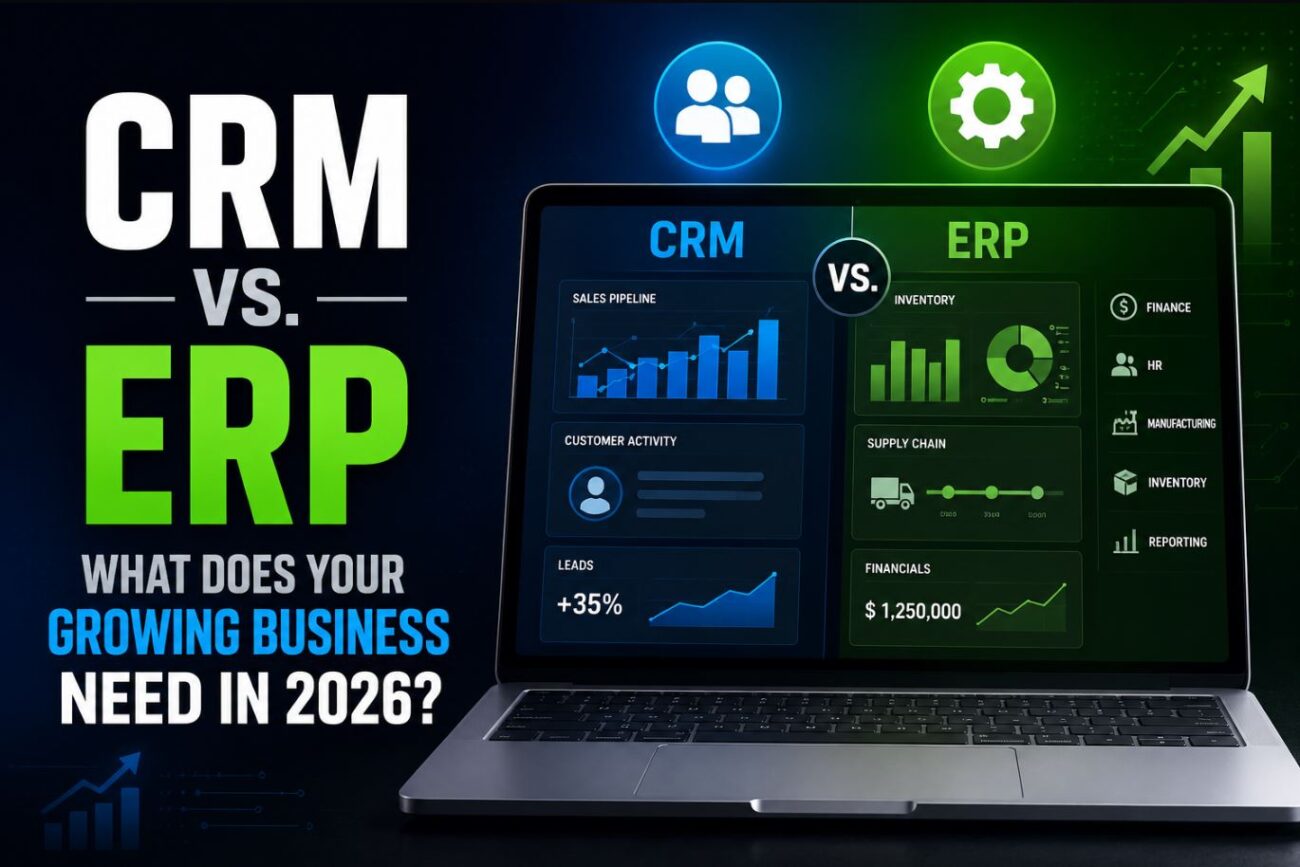
I’ve watched three small businesses spend $40,000+ on ERP implementations they didn’t need because someone told them it was “the professional solution.” I’ve also watched companies run their customer relationships on spreadsheets for years past the point where a CRM would have paid for itself in recovered deals. The CRM vs. ERP question matters because choosing the wrong one at the wrong time either wastes significant money or creates organizational friction that slows growth precisely when you need speed.
This isn’t a feature comparison. It’s a framework for figuring out which problem you actually have, because the answer to “CRM or ERP?” is almost always determined by what’s currently breaking in your business, not by what sounds most professional.
Quick Answer:
- CRM (Customer Relationship Management) manages the revenue side of your business — leads, deals, customer communication, sales pipeline, and retention
- ERP (Enterprise Resource Planning) manages the operational side — inventory, accounting, manufacturing, HR, procurement, and financial reporting across departments
- Most businesses under 50 employees need a CRM first; ERP makes sense when operational complexity (not customer volume) becomes the bottleneck
What CRM Actually Does
A CRM is fundamentally a system for tracking every interaction between your business and the people who might give you money. It answers questions like: What happened in our last conversation with this prospect? Which deals are closest to closing? Which customers haven’t reordered in 90 days? Who on the sales team is performing above or below quota?
The core functions of a CRM are:
Contact and account management — a unified database of every prospect, customer, and partner with their full interaction history, notes, and status.
Pipeline management — visual tracking of where every deal sits in your sales process, with probabilities and expected close dates.
Activity logging — emails, calls, meetings, and tasks automatically or manually recorded against contacts and deals so nothing falls through the cracks when someone is sick or leaves the company.
Reporting — conversion rates by stage, time-to-close, revenue by rep, forecast accuracy. The data that tells you whether your sales motion is working.
Automation — triggered emails, task creation, deal stage updates based on rules. The difference between a CRM and a spreadsheet isn’t just structure; it’s that a CRM can do things automatically when conditions are met.
What a CRM doesn’t do: manage inventory, track costs, process payroll, handle purchase orders, or produce financial statements that a CFO or accountant would rely on. It knows about revenue; it doesn’t know about the business operations that deliver what generates that revenue.
For a deeper explanation of what CRM software is and isn’t, what is CRM software — a plain English explanation covers the fundamentals before you evaluate specific tools.
What ERP Actually Does
An ERP is a system that connects the operational functions of a business in a single database — so that when a sale is made in the sales module, inventory automatically decrements, an invoice is generated in the accounting module, and a fulfillment task is created in the operations module. Integration across departments is the core value proposition.
The functional modules that make up a typical ERP:
Financial management — general ledger, accounts payable, accounts receivable, financial reporting. Replacing standalone accounting software like QuickBooks with something more integrated.
Inventory and supply chain — stock levels, purchase orders, supplier management, warehouse operations. Critical for businesses that make or stock physical goods.
Manufacturing — production planning, bill of materials, work orders, quality control. Relevant for businesses that manufacture products rather than reselling them.
Human resources and payroll — employee records, benefits, time tracking, payroll processing.
Project management — for service businesses billing by project or time, ERP project modules track costs and revenue together.
What ERP doesn’t naturally do well: it’s not optimized for sales activity tracking, marketing campaigns, or the relationship-oriented work that a CRM handles. Large ERP platforms like SAP, Oracle, and Microsoft Dynamics include CRM modules, but they’re typically less capable than dedicated CRM systems and are sold partly on the integration convenience.
The Crucial Difference: What Problem Are You Solving?
The right question isn’t “which is more powerful?” It’s “what is currently costing us the most money or time?”
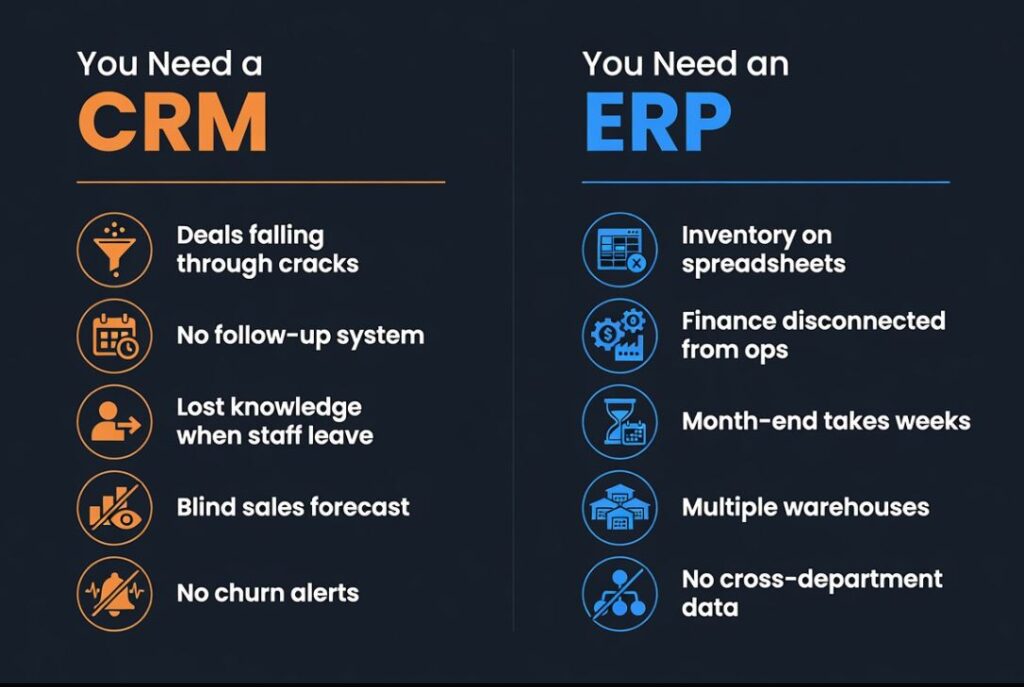
Signs you need a CRM:
- Deals fall through because no one followed up on time
- You don’t know which leads came from which source
- When a salesperson leaves, their customer relationships and deal history leave with them
- Your sales forecast is essentially a guess
- Customers complain about being contacted by multiple people at your company without context
- You have no systematic way to identify which customers are at risk of churning
Signs you need an ERP:
- You’re running inventory on spreadsheets and regularly over or under order
- Your accounting is disconnected from your operations — finance doesn’t know what operations has committed to
- You have manufacturing operations with complex bill of materials requirements
- Month-end close takes two weeks because data lives in separate systems
- You’re a product business scaling to multiple warehouses or fulfillment locations
- HR, finance, and operations all use different software with no data connection between them
Signs you might need both (but should sequence them):
- You’re a product company with an outside sales team
- Your customer lifetime value is high enough that CRM-driven retention matters, and your supply chain is complex enough that ERP-driven inventory matters
Most businesses should implement one before the other. The sequencing question: does revenue generation or operational execution feel more broken right now? CRM if the former, ERP if the latter.
The Size and Stage Question
Business size is a rough but useful filter for where to start.
1-10 employees: Almost certainly CRM first, if anything. Operational complexity at this stage is usually low enough that QuickBooks or Xero plus a basic CRM covers the full business. An ERP implementation at this stage creates overhead that slows down a company that needs to move fast.
10-50 employees: CRM is typically essential; ERP depends heavily on whether you’re product or service. A professional services firm with 30 people might only ever need a CRM and accounting software. A product company with 30 people shipping physical goods probably needs inventory management that edges toward ERP territory.
50-200 employees: The operational complexity that justifies ERP typically emerges in this range, particularly if you’re managing multi-location inventory, manufacturing, or complex project accounting. A dedicated CRM and a mid-market ERP (NetSuite, Acumatica, Sage Intacct) become worth serious evaluation.
200+ employees: Both systems are almost certainly needed. The question becomes integration architecture — how do your CRM and ERP share data, and who owns each system.
Cost Reality in 2026
The advertised price of CRM and ERP software significantly understates the total cost. What actually determines the investment:
CRM costs:
- Software: $25-300 per user per month depending on platform and tier. Salesforce at the enterprise level, HubSpot in the mid-market, Pipedrive or close.io at the SMB level.
- Implementation: $0 (self-service) to $50,000+ for enterprise Salesforce implementations with custom objects and integrations
- Training: often underestimated; plan for 2-4 weeks of reduced productivity during onboarding
- Ongoing administration: someone has to own the CRM, update fields, build reports, and maintain data quality
ERP costs:
- Software: $500-5,000+ per month for cloud ERPs; on-premise ERPs have large upfront license fees
- Implementation: this is where ERP gets expensive. NetSuite implementations commonly run $50,000-$200,000 for mid-market businesses. SAP implementations for larger businesses run into the millions. The implementation services often cost more than the software.
- Customization: standard ERP modules rarely fit a business perfectly; customization adds cost and technical debt
- Ongoing support: ERPs require more dedicated internal support than CRMs
The cost difference is why ERP is not the automatic “more professional” choice. An ERP that costs $150,000 to implement takes years to generate ROI for a 20-person company. A CRM that costs $500/month and is implemented in a week can generate positive ROI in the first quarter.
For a quick estimate of what a CRM implementation would actually cost at your team size, the CRM team cost calculator gives a personalized estimate based on your headcount and requirements.
The AI Factor in 2026
Both CRM and ERP platforms have added AI features in the past two years, and this matters for the buying decision because the quality of AI integration varies dramatically between platforms.
CRM AI in 2026: The most useful AI features are email drafting suggestions (saves significant time for sales reps), deal scoring (identifying which deals are at risk based on engagement patterns), and conversation intelligence (transcribing and analyzing sales calls). These are genuinely valuable at the SMB level and available in mid-tier plans from HubSpot, Salesforce, and Pipedrive.
ERP AI in 2026: Demand forecasting (predicting inventory needs from historical patterns), accounts payable automation (reading and processing invoices without manual data entry), and anomaly detection in financial data. More operationally valuable than CRM AI for businesses with complex supply chains.
The risk: Both categories have added AI features primarily for marketing purposes. Not every AI feature in a CRM or ERP demo translates to meaningful time savings in practice. Ask vendors for specific examples of customers with your business profile using specific AI features — not general AI capability statements.
Build vs. Buy vs. Open-Source
For smaller businesses with technical resources, the CRM vs. ERP question sometimes has a third path: open-source or self-hosted solutions that dramatically reduce software costs.
On the CRM side, solutions like SuiteCRM (open-source fork of SugarCRM) are fully capable alternatives to commercial CRMs for businesses willing to self-host.
On the ERP side, Odoo is the most widely used open-source ERP, with a community edition that’s free to self-host and covers CRM, inventory, accounting, and manufacturing. It’s genuinely capable and used by businesses well beyond 50 employees, though implementation requires more technical investment than cloud alternatives.
For context on when open-source business software makes financial sense versus paid SaaS, SaaS fatigue: 4 open-source tools that replace expensive subscriptions covers the ROI calculation for self-hosting — the same framework applies to CRM and ERP.
The Vendor Landscape in 2026
CRM:
- Salesforce — enterprise standard, highly customizable, expensive to implement and maintain. Best for 100+ person sales organizations with dedicated CRM administrators.
- HubSpot — strong SMB to mid-market option with a generous free tier. Marketing, sales, and service modules in one platform. AI features are mature and useful.
- Pipedrive — pipeline-focused, excellent for small sales teams (5-20 reps), lower complexity and cost than HubSpot.
- Zoho CRM — strong value at the SMB level, integrates well with Zoho’s broader suite.
- Close — built for outbound sales teams, excellent calling and email automation.
ERP:
- NetSuite (Oracle) — dominant in the mid-market, cloud-native, expensive to implement but comprehensive.
- Acumatica — strong mid-market alternative to NetSuite, better for distribution and manufacturing.
- Odoo — best open-source option, community edition free to self-host, enterprise edition competitively priced.
- SAP Business One / Business ByDesign — enterprise pedigree at SMB and mid-market price points.
- Microsoft Dynamics 365 — tight integration with Microsoft 365 ecosystem makes it compelling for Microsoft-heavy organizations; includes both CRM and ERP modules.
FAQ
Can a CRM replace ERP, or vice versa? No. They solve fundamentally different problems. A CRM won’t track your inventory or produce a P&L. An ERP won’t tell you which sales rep is about to miss quota. Some ERP platforms include CRM modules (Microsoft Dynamics, SAP) and some CRM platforms include lightweight accounting (HubSpot Payments, Zoho Books), but neither replaces the other for businesses where both functions are serious.
We’re a service business — do we need ERP at all? Professional services businesses (consulting, agencies, law firms) often do fine with CRM + accounting software + project management tools indefinitely. ERP makes most sense when physical goods, manufacturing, or complex multi-entity financial reporting are involved. Many service businesses that buy ERP are solving an integration problem they could solve with lighter-weight tools.
Our CRM and accounting software don’t talk to each other. Is that an ERP problem? Not necessarily. Integration middleware (Zapier, Make, or custom APIs) can connect CRM and accounting data without an ERP implementation. An ERP solves the integration problem through a unified database, but that’s not the only way to solve it, and it’s often not the cheapest way for smaller businesses.
Should we wait until we’re bigger to implement either system? The right time for CRM is when deals are falling through the cracks or when customer relationship continuity breaks down when a person leaves. Both of those happen earlier than most businesses expect. Waiting until you’re “bigger” usually means waiting until the pain is severe enough to force the issue — at which point the implementation is more disruptive because there’s more existing data and more entrenched manual processes to change.
How long does implementation take? CRM: 2-8 weeks for a self-implementation at an SMB. 3-6 months for a full enterprise CRM implementation with custom configuration and integrations. ERP: 3-6 months for a straightforward mid-market implementation. 12-24 months for large enterprise ERP rollouts. These timelines consistently underestimate how long data migration and user adoption take.
Conclusion
CRM and ERP solve different problems at different stages of business growth. CRM addresses the revenue engine — how you find, win, and retain customers. ERP addresses the operational engine — how you deliver what you sell and run the business behind the scenes. Most growing businesses need CRM earlier than they think and ERP later than they’re told. The right sequence is determined by which system’s absence is currently costing you the most, not by which sounds more sophisticated. Get the one that solves your actual current problem first, implement it well, and evaluate the other when the next bottleneck becomes clear.
