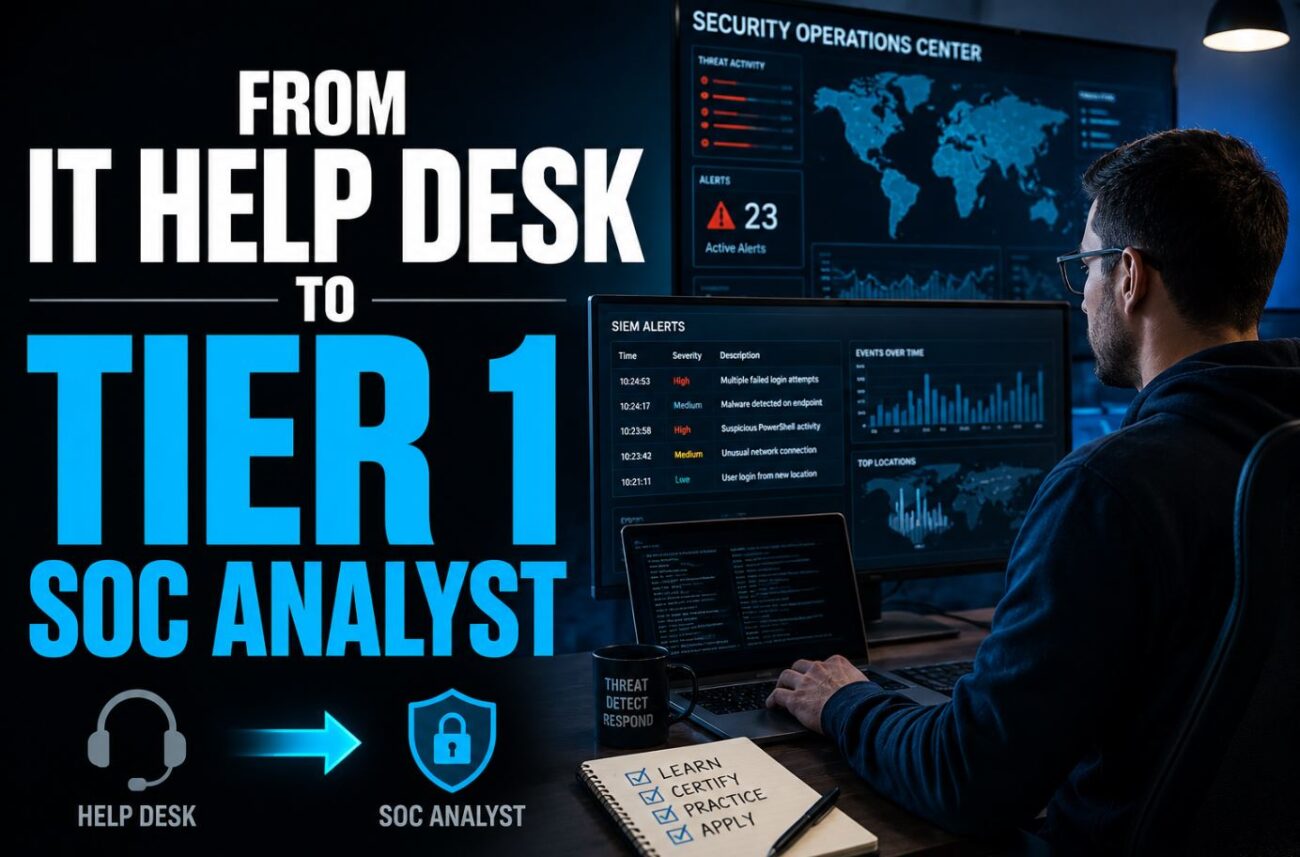
I made this transition in eleven months. I was working Tier 1 help desk — password resets, printer issues, VPN tickets — and ended up in a SOC analyst role at a managed security services provider. No degree, two certifications, and a home lab that I documented obsessively. The path exists and it’s more structured than most people realize. It’s also more competitive than the “just get your Security+” advice online suggests. Here’s what actually moved the needle.
Quick Answer:
- Help desk experience is more valuable than most people in IT realize — troubleshooting, ticketing systems, talking to users, and understanding what “normal” looks like in an environment are all skills SOC analysts use daily
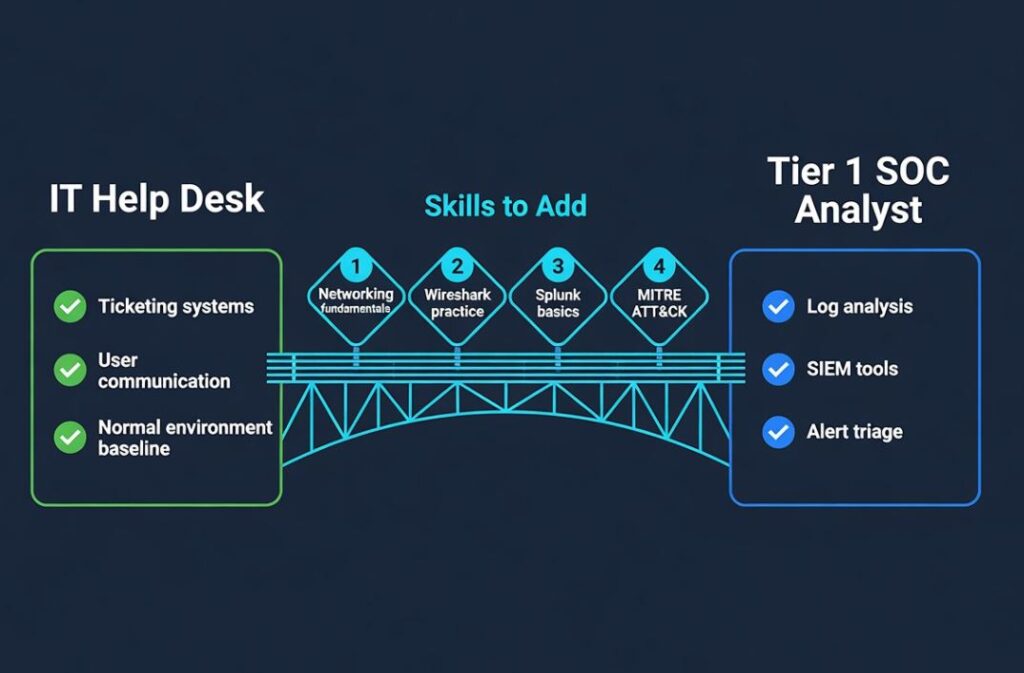
- The practical gap between help desk and SOC is networking fundamentals and log analysis — not advanced hacking or malware reverse engineering
- The certifications that matter for this specific transition are Security+ (table stakes) and either CySA+ or Blue Team Labs Online completion — not OSCP, not CEH
Why Help Desk Experience Is Actually an Advantage
Most SOC transition guides treat help desk as a liability — something to escape from rather than build on. That framing is wrong.
Help desk gives you three things that security bootcamp graduates typically don’t have:
You know what normal looks like. You’ve seen how real users behave, what legitimate IT tickets sound like, what common software issues are, and how environments actually function day-to-day. A Tier 1 SOC analyst reviewing alerts spends most of their time distinguishing noise from signal — and understanding normal is fundamental to that task.
You can communicate with non-technical users. Security incidents always involve communicating findings to people who aren’t security professionals. The user communication skills from help desk are directly applicable when you’re explaining to an employee why their account got locked or asking them questions about suspicious activity.
You understand ticketing and escalation workflows. SOC work is fundamentally a ticketing workflow — alert comes in, you triage it, you escalate or close it, you document what you did. This is exactly the workflow you’ve been doing for months or years.
What help desk doesn’t give you that SOC requires: understanding of network traffic patterns, log analysis, SIEM tool operation, and the security-specific context for interpreting what you’re seeing. Those are gaps you can close in 6-12 months of deliberate study.
(This guide is based on direct experience making this transition and community data from multiple cybersecurity professional forums and Discord servers, 2025-2026)
The Honest State of Tier 1 SOC Jobs in 2026
Before discussing the path, the market reality matters.
Tier 1 SOC jobs are the most applied-for entry-level security roles. Managed Security Services Providers (MSSPs) hire the most — they run SOC operations for multiple clients and need volume. In-house SOC teams at enterprises are more selective and typically want 1-2 years of prior security experience even for Tier 1.
MSSPs are the realistic target for a first SOC role. The work is more repetitive and the pay is lower than an in-house role, but the exposure to different environments, tools, and alert types is genuinely valuable for building the experience that gets you to Tier 2 or an in-house role.
The degree question: MSSPs specifically are the most degree-flexible employers in security. Many explicitly advertise “degree or equivalent experience” — and help desk experience is routinely accepted as that equivalent when paired with certifications and demonstrable technical skills.
The Specific Knowledge Gap to Close
Between help desk and Tier 1 SOC, the gap is specific and learnable. It’s not as large as it looks from the outside:
Networking fundamentals — at the packet level: You need to understand what happens when a user visits a website, sends an email, or connects to a server at the TCP/IP level. Not just “DNS resolves names” but “what does a DNS query look like in a packet capture, and what does an anomalous DNS pattern look like compared to a normal one.” CompTIA Network+ covers this conceptually; Wireshark practice makes it practical.
Log analysis: The primary daily activity in a Tier 1 SOC is reading logs — Windows Event Logs, firewall logs, IDS/IPS alerts, authentication logs. Understanding what normal Windows authentication looks like in Event Viewer, what a failed login attempt looks like versus a brute force attack pattern, and how to correlate events across multiple sources is the core technical skill.
SIEM basics: Security Information and Event Management tools (Splunk, Microsoft Sentinel, IBM QRadar, Elastic SIEM) aggregate and correlate logs from across an environment. Tier 1 analysts work in these tools all day. The specific tool varies by employer, but the concepts transfer. Splunk’s free training and home lab edition is the most accessible starting point.
Alert triage framework: When an alert fires, what’s the process for deciding whether it’s a true positive, false positive, or something that needs escalation? This mental framework is what separates someone who can technically read a SIEM from someone who can do SOC work. MITRE ATT&CK is the reference framework — understanding how it maps techniques to detections is more useful than memorizing it.
Basic threat intelligence concepts: Understanding what an Indicator of Compromise (IoC) is, how IP reputation databases work, and how to look up a suspicious hash or domain in VirusTotal and interpret the results.
This is a manageable learning scope. It’s not a four-year degree’s worth of material — it’s roughly the content of CySA+ plus deliberate home lab practice.
The Certification Path for This Transition
Step 1: CompTIA Security+ (if you don’t already have it)
Security+ is not negotiable for most SOC job applications. Many MSSP job postings list it explicitly as a required or preferred qualification. It covers the broad security concepts you need and signals to employers that you have baseline competency.
If you’re already working in IT help desk, you likely know more than you think going in. The exam covers areas where help desk work gives you practical context — endpoint security, identity management, common attack types — and areas where you’ll need to study fresh — cryptography, network security protocols, cloud security basics.
For an honest breakdown of how hard the Security+ actually is and what studying for it looks like in practice, how hard is CompTIA Security+ covers the exam from someone who’s taken it.
Step 2: CySA+ or Equivalent Blue Team Credential
CySA+ (CompTIA Cybersecurity Analyst) is specifically designed for the analytical and monitoring work of a SOC analyst. Where Security+ is broad, CySA+ goes deep on threat detection, log analysis, and incident response — exactly the skills Tier 1 SOC requires.
This is the certification that differentiates you from the many people applying with only Security+. Not everyone has it. Hiring managers for MSSP roles recognize it as relevant to the job function, not just the field.
Alternative or supplement: Blue Team Labs Online (btlo.com) provides hands-on SOC scenario labs that you can complete and cite in job applications. “I have CySA+ and completed 15 Blue Team Labs Online scenarios including incident response simulations” is a stronger application package than certifications alone.
Optional: Splunk Core Certified User
Splunk is the most commonly mentioned SIEM tool in MSSP job postings. Splunk offers free training through their website and a free personal developer license that lets you run a local Splunk instance. The Core Certified User exam is relatively straightforward and specifically validates SIEM tool competency that hiring managers for Tier 1 SOC roles directly care about.
Building the Home Lab (Specifically for SOC Work)
A home lab for SOC transition doesn’t need to simulate penetration testing — it needs to simulate what you’ll do in a SOC: collect logs, detect anomalies, investigate alerts.
Minimum viable SOC home lab:
- A VM running Windows Server (free evaluation from Microsoft) — configure Active Directory, create user accounts, and generate authentication events
- A Splunk free instance — forward Windows Event Logs from the server to Splunk
- Run attack simulations against the server — tools like Atomic Red Team (free, open source) simulate real attack techniques and generate the corresponding log events
- Write Splunk queries and detection rules based on what the simulations generate
This setup costs nothing beyond the hardware to run VMs, produces genuine log analysis experience, and gives you documented work to show interviewers.
What to document:
- Screenshots of the Splunk dashboard and detections
- Written analysis of what each simulated attack looked like in the logs
- Any detection rules you wrote (even simple ones)
- A brief writeup of a “mock incident investigation” where you identified the attack chain from the logs
This documentation becomes your portfolio. “I set up a home lab running Splunk, simulated brute force attacks using Atomic Red Team, and wrote detection rules that identified the activity” is a concrete interview answer that demonstrates actual SOC skill, not just knowledge of concepts.
Translating Your Help Desk Experience on a Resume and in Interviews
The framing of your help desk experience matters significantly. The same experience can read as “entry-level IT support” or “foundational SOC readiness” depending on how you describe it.
Help desk → SOC translation:
Instead of: “Responded to user tickets and resolved technical issues” Write: “Triaged and escalated incidents using [ticketing system], investigated root causes of recurring technical issues, and maintained documentation of resolutions for knowledge base”
Instead of: “Reset user passwords and unlocked accounts” Write: “Managed identity-related service requests, identified patterns in lockout incidents, and applied escalation procedures for potential unauthorized access attempts”
Instead of: “Supported network and VPN issues” Write: “Diagnosed connectivity issues, reviewed network configurations, and supported remote access troubleshooting in environments running [specific VPN/tools you actually used]”
These reframings aren’t dishonest — they describe the same work in terms that map to security analyst competencies. The escalation, pattern recognition, and documentation aspects of help desk work are genuine SOC-relevant skills.
In interviews, the questions to prepare for:
“Walk me through how you would triage an alert for a failed login attempt from an unusual location.”
This is the most common Tier 1 SOC interview question. The expected answer structure: check the account’s normal behavior (where do they usually log in from?), check the IP against reputation databases, check for concurrent activity from the account or other accounts in the timeframe, determine if escalation is needed. Practice this out loud before interviews.
“What SIEM experience do you have?”
If you’ve done the home lab above, you have an honest answer: “I’ve been running Splunk at home, forwarding Windows Event Logs and writing queries to detect simulated attack activity.” If you haven’t yet, this is why the home lab matters.
The Application Strategy
Applying to 3-5 jobs per month is too slow. In a competitive entry-level market, volume matters. Apply to 10-15 SOC analyst openings per week specifically at MSSPs, not just any security job. Set up job alerts on LinkedIn, Indeed, and CyberSecJobs for “SOC analyst tier 1,” “security operations analyst,” and “security monitoring analyst.”
Who to target:
- Regional MSSPs (not just the national ones) — smaller MSSPs often have less applicant volume and more willingness to train
- Healthcare, financial services, and government contractors — all heavily regulated industries with continuous SOC staffing needs
- IT staffing companies that place SOC contractors — contract-to-hire SOC roles are a real path in and offer full-time conversion after proving yourself
Geographic flexibility: More SOC Tier 1 roles are now hybrid or remote than before 2022. Remote-eligible roles expand your geographic range significantly. Include remote-eligible postings in your search.
For current salary ranges by role to calibrate expectations before negotiating, the cybersecurity salary tool provides current compensation data by role and region.
What the First 90 Days in a Tier 1 SOC Actually Look Like
Setting realistic expectations prevents the disillusionment that causes some people to leave early.
Tier 1 SOC is repetitive. Most alerts are false positives. In a well-tuned SOC, 90% of your alerts will be closed without escalation because they’re known-benign patterns that fire regularly. The 10% that need real investigation is where the learning happens, but you spend most of your time on the 90%.
The learning curve is steep for the first 60 days — new tools, new environment-specific alert patterns, new escalation processes, and new colleagues. The job gets meaningfully less stressful around the 90-day mark when the tool workflows and common alert types become familiar.
The path out of Tier 1 is documentation and escalation quality. Tier 1 analysts who get promoted to Tier 2 are the ones whose escalation notes are consistently thorough and accurate, who start identifying patterns in alerts that indicate tuning opportunities, and who ask to sit in on incident response activities even when they’re not required to. Being visible in that way, not just doing the job, is what gets you to Tier 2 in 18-24 months rather than 36+.
For context on how AI is changing what Tier 1 SOC work actually looks like — and which parts of the role are becoming automated — will AI replace cybersecurity jobs is worth reading before you commit to this career path.
FAQ
Do I need to know how to hack to work in a SOC? Not at Tier 1. Understanding attack techniques conceptually — knowing what a brute force attack is, what a phishing campaign looks like in email logs — is essential. Being able to execute those attacks yourself is not. Offensive security (penetration testing) is a separate career track from defensive security (SOC work). Tier 1 SOC is entirely defensive.
How long should I stay at help desk before making the transition? Minimum one year of help desk is the rough consensus — enough to be genuinely competent at the job and have specific examples of complex troubleshooting, escalation decisions, and cross-team communication. Less than a year and you haven’t accumulated the baseline IT competency that makes you stronger than a bootcamp graduate. More than three years without progressing toward security actively may signal to employers that you haven’t been working toward the transition.
Is help desk at an MSSP better than help desk elsewhere for this transition? Yes, significantly. Help desk at an MSSP exposes you to security-adjacent concepts, gives you exposure to colleagues in the SOC, and sometimes allows internal transfers that bypass external competition. If you’re not already at an MSSP, consider applying to MSSP help desk roles as an intermediate step.
Should I go for a cybersecurity degree instead? This depends heavily on your financial situation and timeline. A degree signals credibility and opens some doors that certifications alone won’t — particularly in government and certain financial sectors. For MSSP Tier 1 specifically, certifications and demonstrable skills consistently outweigh the degree requirement. For a detailed ROI analysis, is a cybersecurity degree worth it covers this tradeoff honestly.
What’s a realistic timeline from starting this plan to landing a SOC role? 8-14 months for someone starting from a working help desk position with active study. The variables: how aggressively you study and apply, whether you can do the home lab work consistently, and how competitive your specific geographic market is.
Conclusion
The help desk to SOC analyst path is real, well-traveled, and doesn’t require a degree. It requires Security+, a blue-team focused second credential or hands-on platform completion, a documented home lab with actual log analysis work, and a volume application strategy targeting MSSPs specifically. The technical gap between help desk and Tier 1 SOC is focused and learnable — networking at the packet level and log analysis — rather than the broad security expertise that intimidates people from starting. Your help desk experience isn’t something to hide on a resume; it’s the part that makes you a better analyst than someone who only studied.
